Is Sellvia worth it? For a beginner who wants a ready-made store selling to US shoppers, it can be, as long as you budget for the fees that sit on top of the $39 plan. If you want to sell worldwide, pick your own suppliers or start with almost no ad money, look elsewhere.
I’ve used Sellvia myself, and this Sellvia review mixes that hands-on experience with what the platform looks like today. On October 1, 2026 I went back to their pricing page, their shipping policy and their Trustpilot profile to check every number below, because a lot has changed since I first wrote this.
Some context first. AppScenic’s statistics page says roughly 27% of all eCommerce businesses use dropshipping. Why so popular? You don’t buy stock up front.
The hard part is the supplier.
You need products people want, orders processed on time, fast shipping and decent quality. You also need a supplier that ships to the country where your customers live. Most beginners find out about that last point too late.
That’s the problem Sellvia set out to fix. Instead of pulling products from AliExpress sellers in China, it keeps its catalog in its own warehouse in California and ships from there, which gave it a big edge on processing and delivery times.
So what do you get, how does Sellvia pricing look in 2026, and is Sellvia legit? I’ll go through the features, ease of use, support and pricing, with the good and the bad.
*Disclosure: I only recommend products I would use myself, and all opinions expressed here are my own. This post may contain affiliate links that at no additional cost to you, I may earn a small commission.
Sellvia Review At A Glance.

Sellvia is a dropshipping platform and a supplier in one. You get an online store with the products already loaded, and when someone buys, Sellvia packs and ships the order. That mix of “done for you” and “done with you” is the main selling point, and it’s why I tried it.
When I first reviewed it, orders were handed to USPS within one working day and US customers got them in 1 to 3 business days. Their shipping policy is more careful today: 1 to 3 business days to process the order and an estimated 5 to 20 business days for delivery in the US.
You also get ad creatives and targeting ideas for your campaigns, and they’ll build the store for you with products from their catalog. The catch is the fee structure, which I break down in the pricing section.
Sellvia Pros And Cons
PROS
CONS
What Is Sellvia?
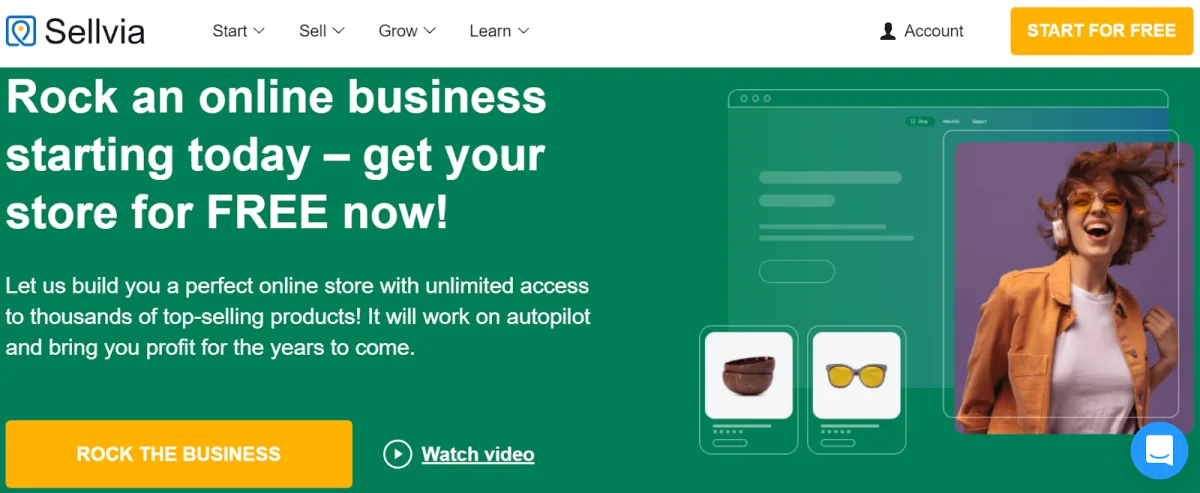
Sellvia is an online dropshipping platform where you can open a store in no time, without paying rent for a shop, hiring staff or holding stock. You can start with very little money, and Sellvia handles the shipping from start to finish.
Sellvia doesn’t work with third-party sellers the way a marketplace does. It buys in bulk, keeps the products in its own warehouse and focuses on items that are already in demand.
Sellvia vs AliExpress? That’s the comparison most people make, and it’s why so many Shopify sellers started looking at Sellvia. With AliExpress you depend on lots of different sellers shipping from China, with long and unpredictable delivery times. With Sellvia you deal with one supplier, one US warehouse and one dashboard, and you decide how your store looks and how you run it. AliExpress products are usually cheaper per unit, though. You’re paying for speed and simplicity.
Sellvia Store Review: Uncovering the Details
Sellvia does two jobs at once: it’s the supplier and it’s the store. That makes it a good partner if you want one company handling everything, and it has enough tools to keep growing once the first sales come in.
Can it replace Shopify? For a beginner on a tight budget, yes. Every plan includes hosting, a free domain, an SSL certificate, a branded email address, reports and analytics (I checked the plan list in October 2026). What you give up is the freedom to choose any supplier you like.
Speed was always its strongest argument. Everything ships from the fulfillment center in Southern California, so a US customer gets the parcel much sooner than from China.
Some competitors offer similar services. When I tested it, very few matched Sellvia’s prices and quality at the same speed.
In this review I look at four things:
- Features
- Ease of Use
- Support
- Pricing
I’ll also tell you where Sellvia falls short, because most Sellvia reviews skip that part.
1. Sellvia Overview
Sellvia is built for people who have never run a store. Some use it to test a new market, others to save hours of product research and fulfillment work.
The idea behind it is simple: you shouldn’t need technical knowledge to launch an online business.
Not everyone wants to take big financial risks or learn skills they’ll never use again. Sellvia’s team does the heavy lifting, from building the store to shipping the orders.
You still have to bring the customers. That part is on you.
Is it free to start? The store costs $0 and there’s a 14-day free trial, but you need a card on file and the $39 Basic plan is charged when the trial ends, according to their pricing FAQ in October 2026.
Additional Benefits of Sellvia That You Need to Know
A few more things worth knowing:
- Support is available around the clock, 24/7, on every plan.
- Orders go to Sellvia automatically when a customer buys, so you don’t have to place them by hand.
- Sellvia picks its suppliers and buys in bulk, so you’re less likely to run out of stock or end up with an unreliable vendor.
Note: The ratings in each section below are my personal opinion after testing this tool.
2. Sellvia Features
These are the main features that come with a Sellvia subscription.
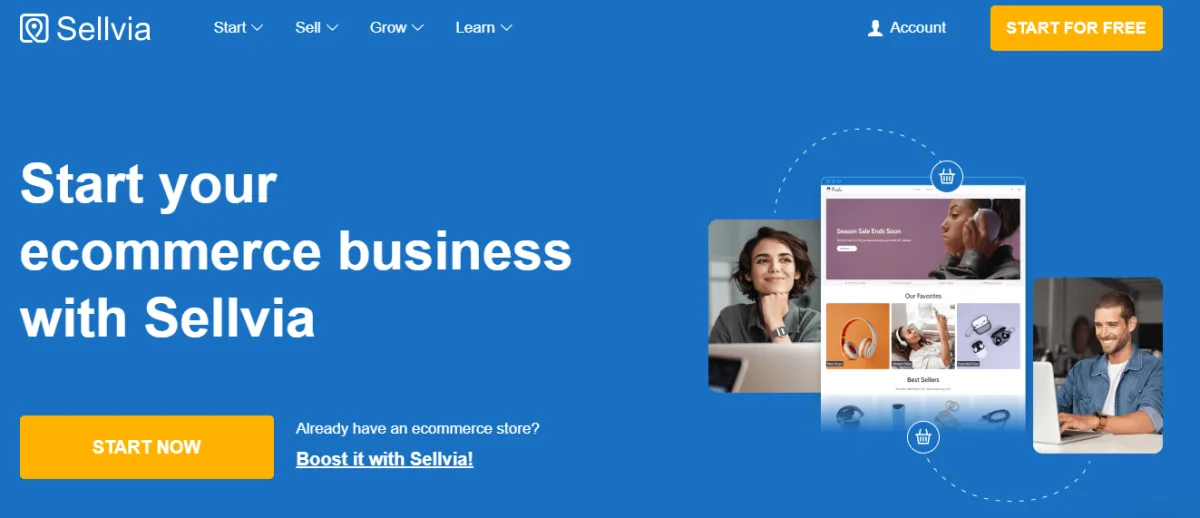
Integrate Your eCommerce Platforms And Expand Your Business.
Sellvia gives you everything to open, run and grow a store in one place: the platform, the hosting and the management tools.
You can also connect it to other eCommerce platforms like Shopify and WooCommerce. When I wrote the first version of this review, the Shopify integration was still in development and only WooCommerce (WordPress) worked.
Today the main offer is Sellvia’s own turnkey store, so check their help center before you count on a specific integration.
US-Based Fulfilment Centre – Get Quick US Shipping
Sellvia keeps its inventory in Irvine, California. The original promise was that an order placed today would be picked, packed and handed to the carrier, usually the United States Postal Service, on the next business day. Their current shipping policy talks about 1 to 3 business days of processing instead, so don’t promise your customers next-day dispatch.
Done For You Dropshipping Solution
Setting up a business on Sellvia is easy. Their “done for you” store costs nothing up front.
They build a storefront for your niche, and you only pay the monthly plan, with no one-time setup fee. The 14-day free trial is still there in 2026, so you can see whether it fits your business before you pay anything.
If you plan your launch well, you might even make your first sales before the trial ends. Might. That depends on your ads, not on Sellvia.
One Click Import – Add Products On Your Shop With Single Click
One-click Import does what the name says. You pick a product, choose the category on your store, press the button, and the photos and description land in your shop.
No copying and pasting, no resizing images. If you run your store on the side, that saves real time.
Accessible Product Listings
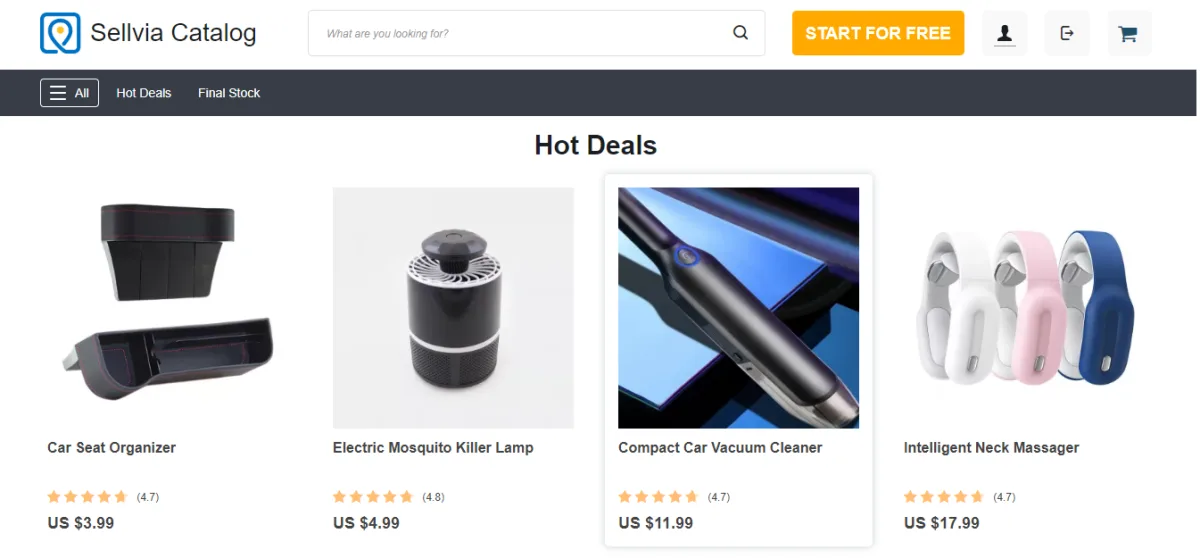
The product pages in Sellvia’s catalog come with clear names, detailed descriptions and customer reviews, so you can start selling as soon as you import them. I’d still rewrite the descriptions of your best sellers. Other Sellvia stores can import exactly the same text, and duplicate descriptions won’t help you rank on Google.
Automated Order Placement
With most dropshipping suppliers you have to log in to their site and place each customer order yourself. Not with Sellvia.
The plugin sends every new order straight to their warehouse, without any input from you. One thing has changed, though: in October 2026 their fees page lists a 15% Automatic Approval Fee on the catalog retail price, against 0% if you approve orders one by one and 7% in bulk. Automation is now a paid convenience.
Promotional Material – Increase Brand Awareness and Get High Profits
Besides the store, Sellvia gives you promotional material: banners, ad copy, suggested audiences and similar resources for your social media channels.
Any active member can use them, at any time. If you run several stores, you can promote each one separately.
Basically, it’s a library of ready-made ads you can adjust and launch. Very handy if you’ve never written an ad in your life.
Ready-to-go Marketing Campaigns
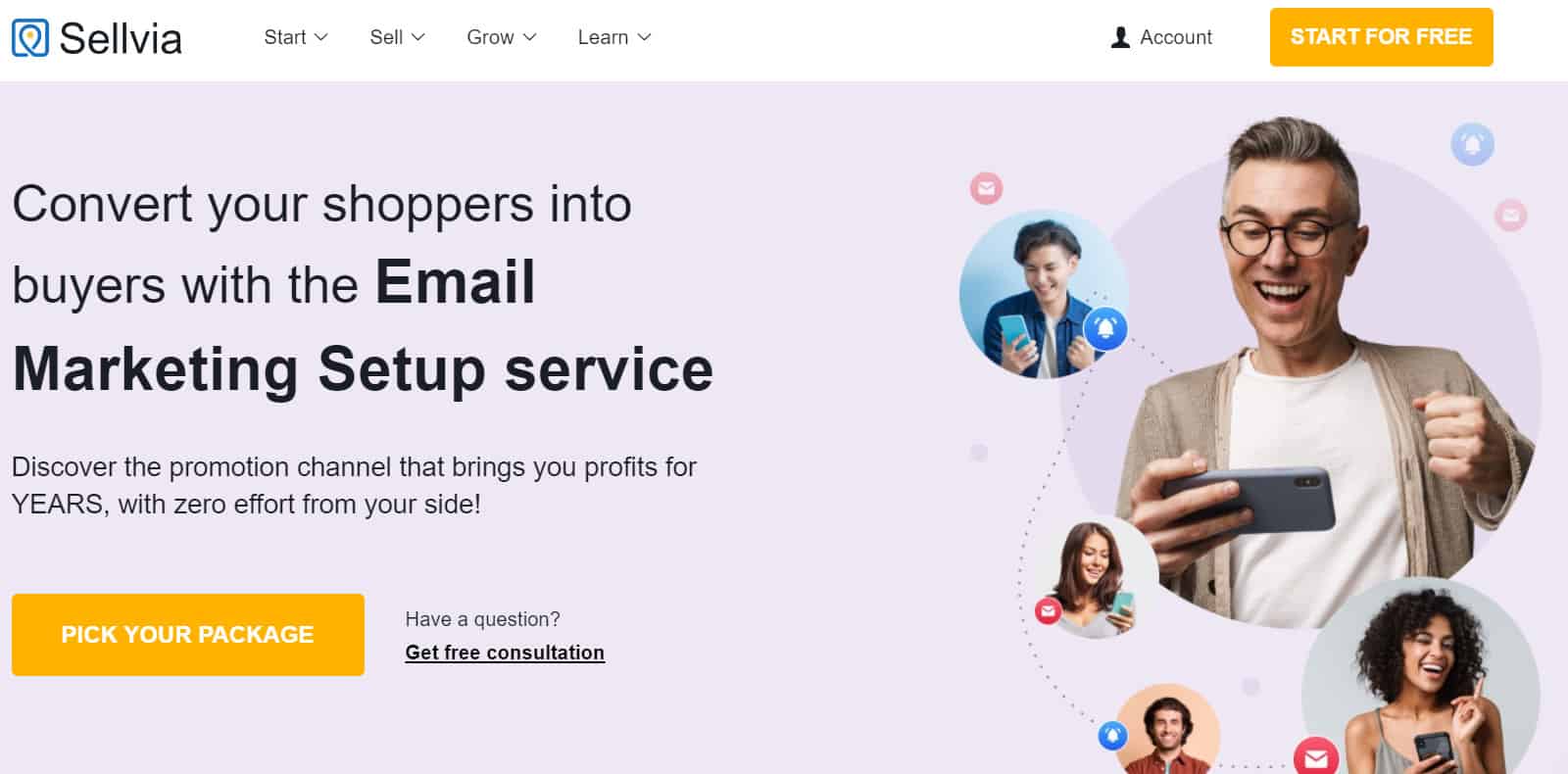
The pack includes pre-written copy for Facebook ads.
Most dropshipping suppliers stop at the product. They hand you the catalog and you’re on your own. Sellvia goes a step further and gives you something to advertise with.
Before you publish the ads on Instagram or Facebook, you only need to tweak the text. If you use Sellvia’s own ad service instead, their pricing page lists a 28% Promotion Service fee on top of the ad credits you spend.
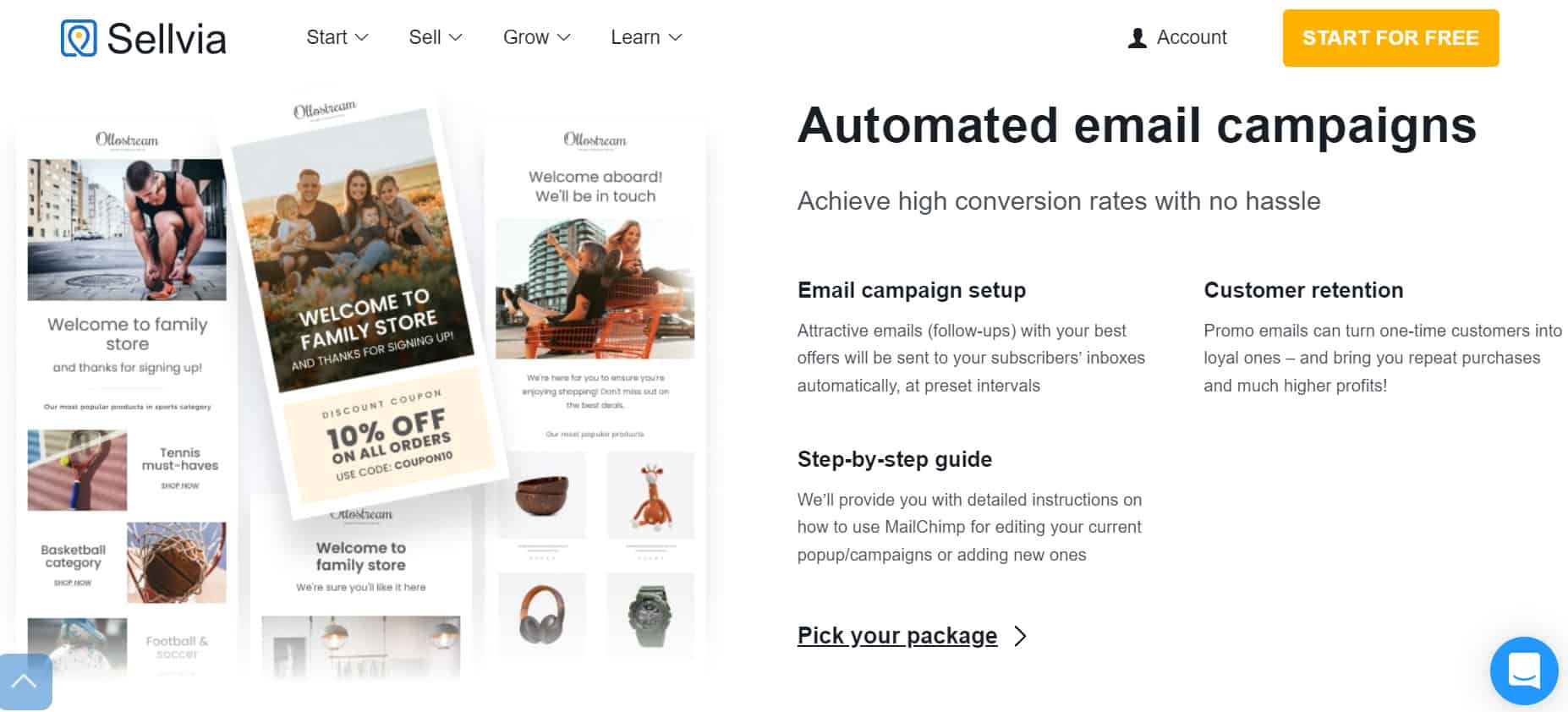
Fast Shipping Badge
How long will it take? That’s one of the first questions every customer asks. The fast shipping badge answers it on the product page, before they have to email you.
With one switch you can show:
- The delivery window for US customers.
- How long the order takes to process.
- The approximate delivery date.
- Any combination of the three, each turned on or off on its own.
Just make sure the dates you show match Sellvia’s current shipping policy, not the old 1 to 3 day promise.
Overall, the features are good. What keeps them at 4 out of 5 for me is the 5,000-product cap on the Basic plan and the fact that the whole system is built around US buyers.
3. Sellvia Ease Of Use
Ease of use is where Sellvia does best. Choosing a dropshipping partner is hard enough, and at least the tool itself doesn’t get in your way.
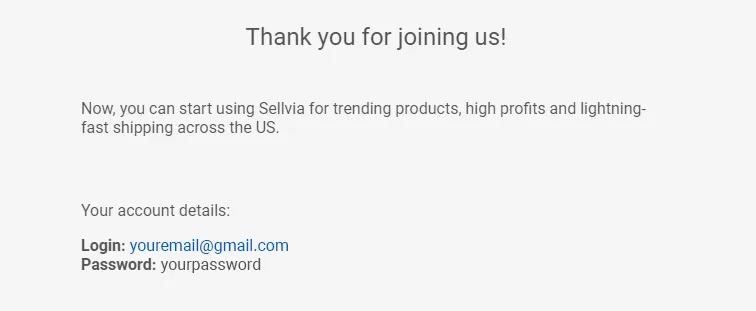
You don’t need technical skills. In the version I used, you signed up and installed the Sellvia plugin on your site, and you needed WooCommerce installed before the plugin. After subscribing, you got an email with your login details. The screenshots below come from that setup. Today Sellvia builds the turnkey store for you, so some screens may look different.
Installing Sellvia
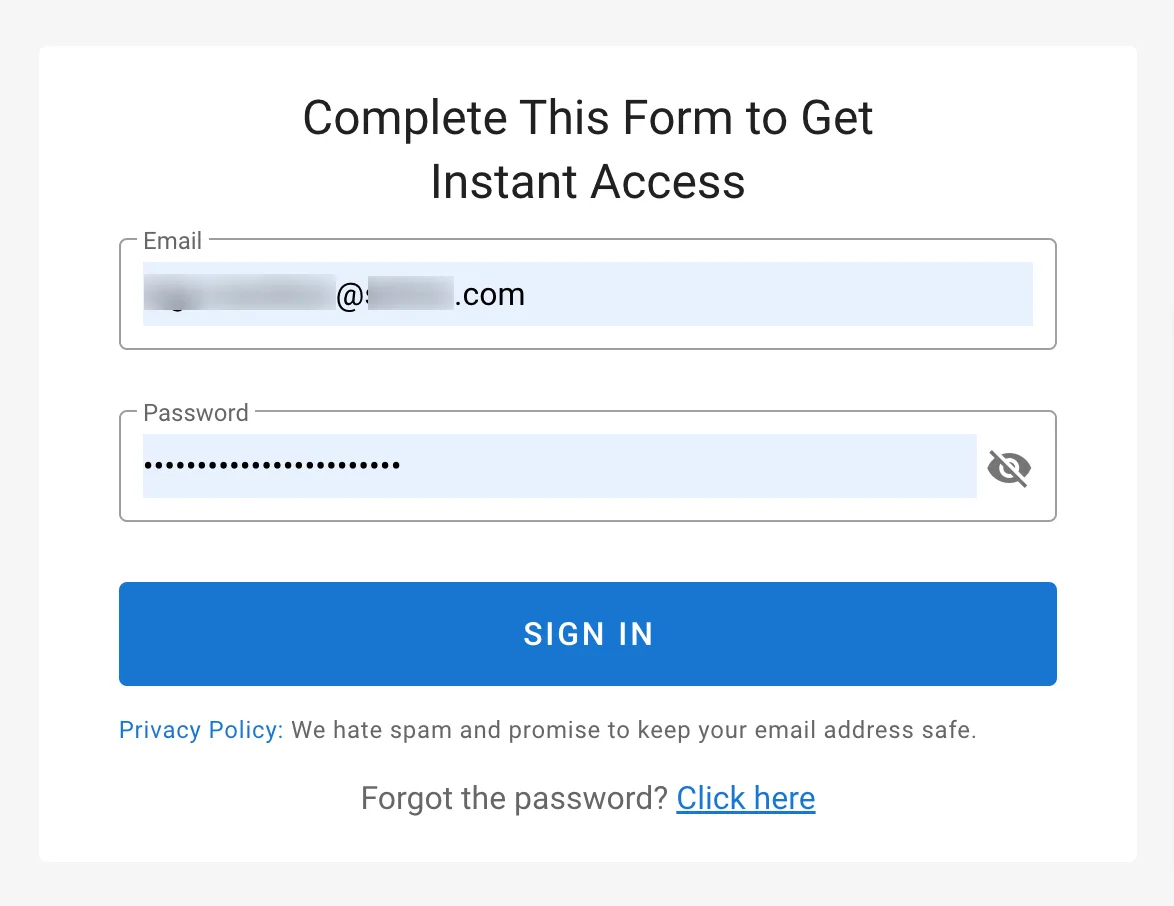
After you buy the subscription, Sellvia emails you the login details for your account. Use them to sign in:
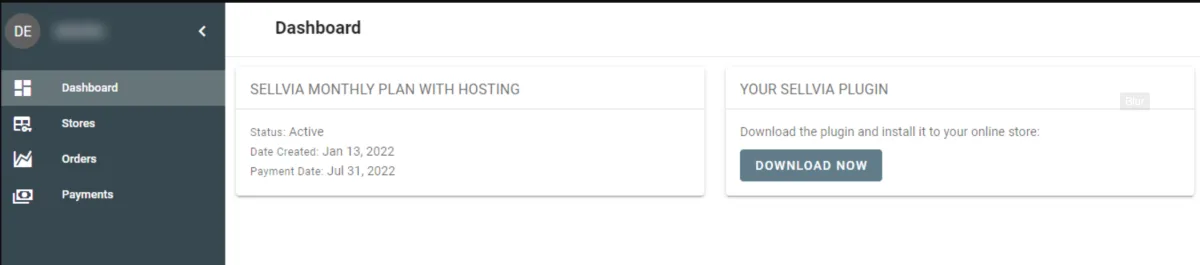
Once you’re in, go to ‘Dashboard’ and download the Sellvia plugin with the ‘Download’ button:
Activating Sellvia
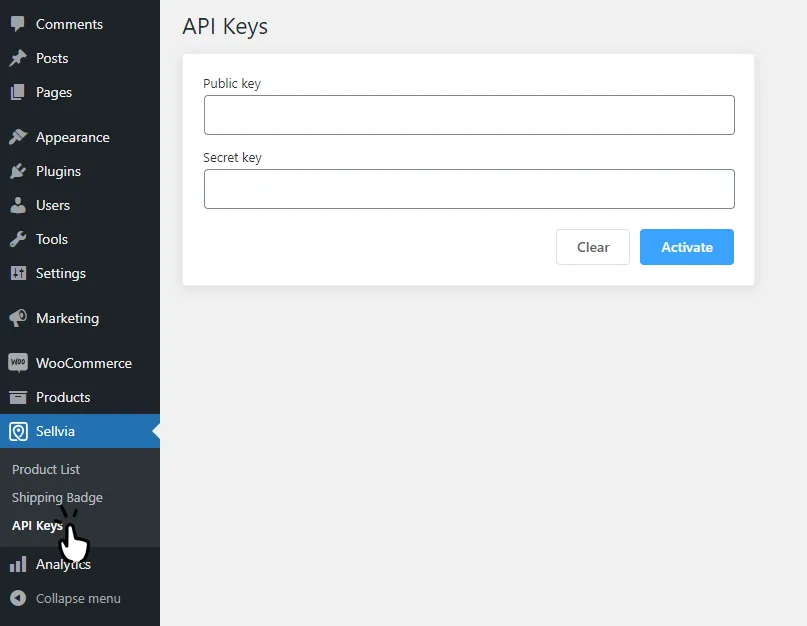
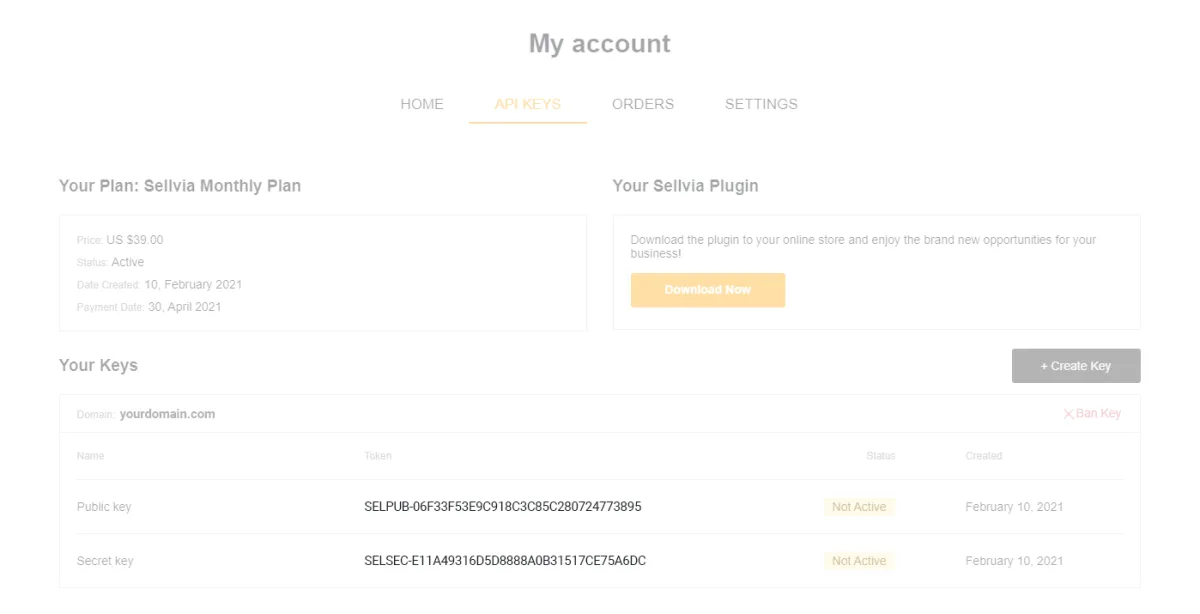
Then go back to your Sellvia account and copy the Public and Secret keys from the ‘API Keys’ tab:
Paste both keys into the plugin fields and click ‘Activate’:
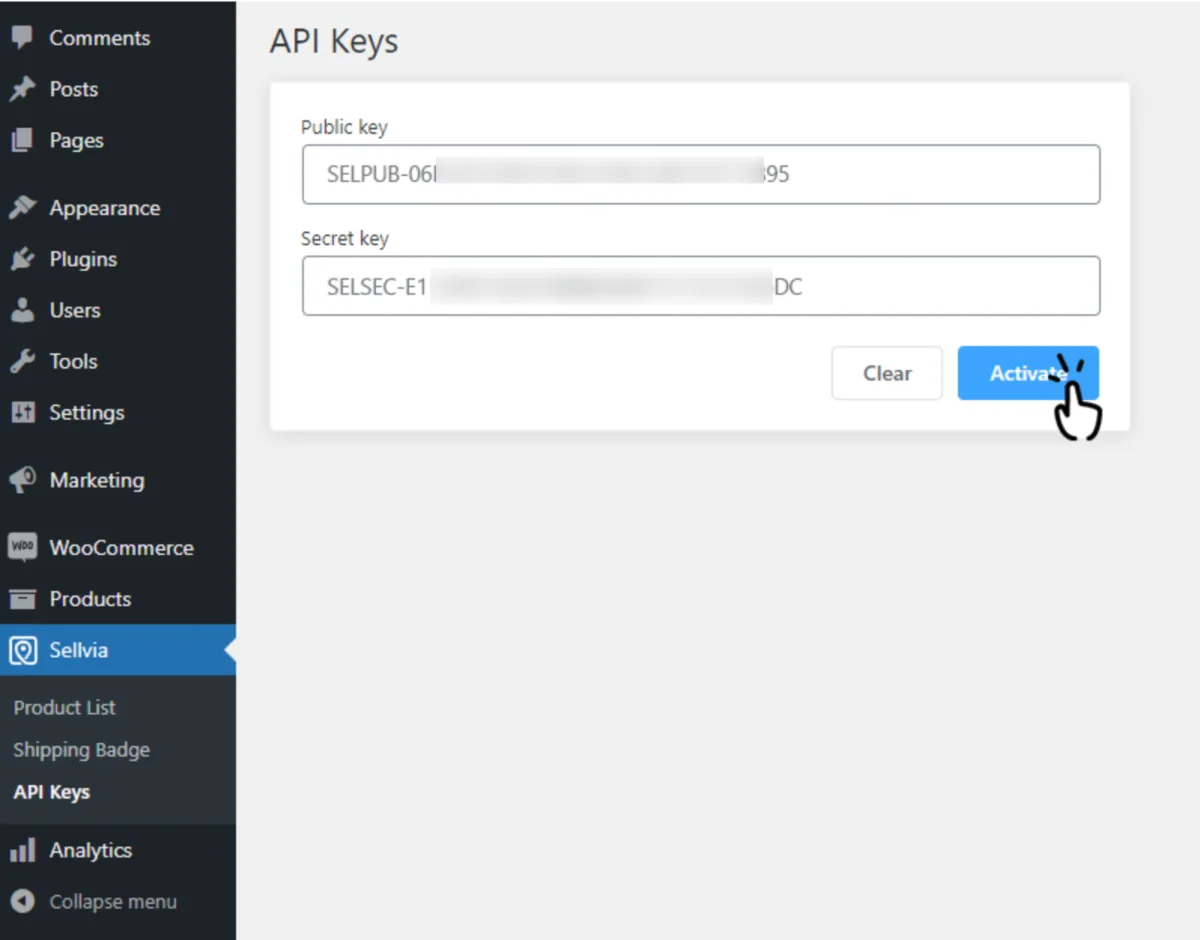
That’s it. With the plugin active, you can import Sellvia products and send your orders to their US warehouse.
Importing Products
Importing products takes a couple of minutes. Open the ‘Products List’ section from the menu, pick what you want, and a few clicks later it’s in your store.
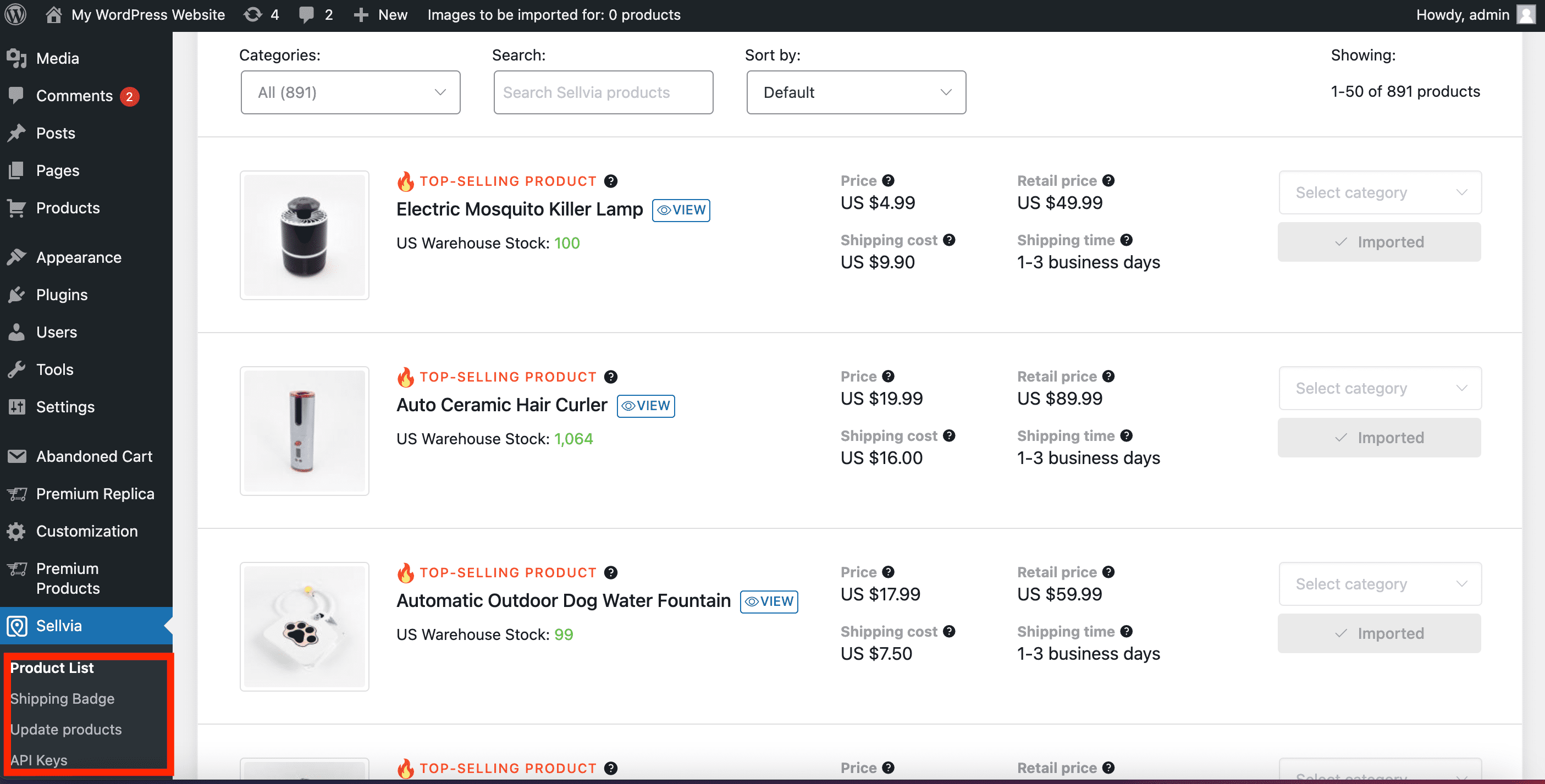
If you get stuck, Sellvia has a step-by-step tutorial on importing products.
Send Orders
Sending orders is just as easy.
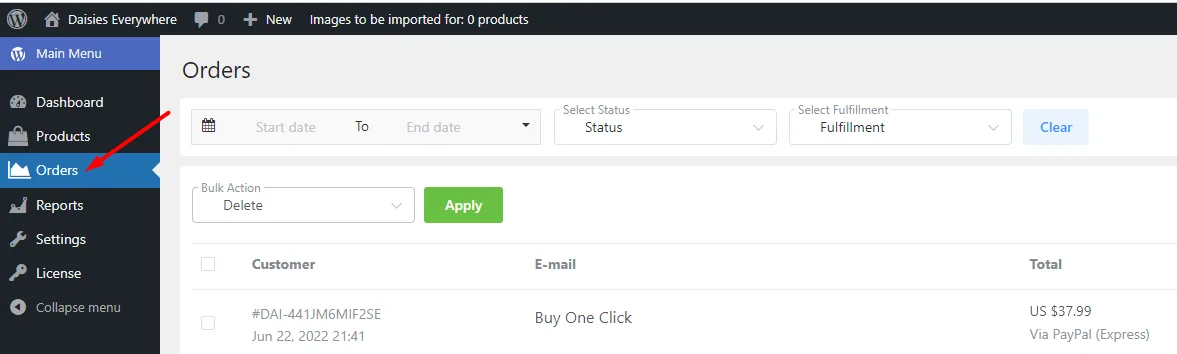
When someone buys from your store, the order shows up in Sellvia > Orders:
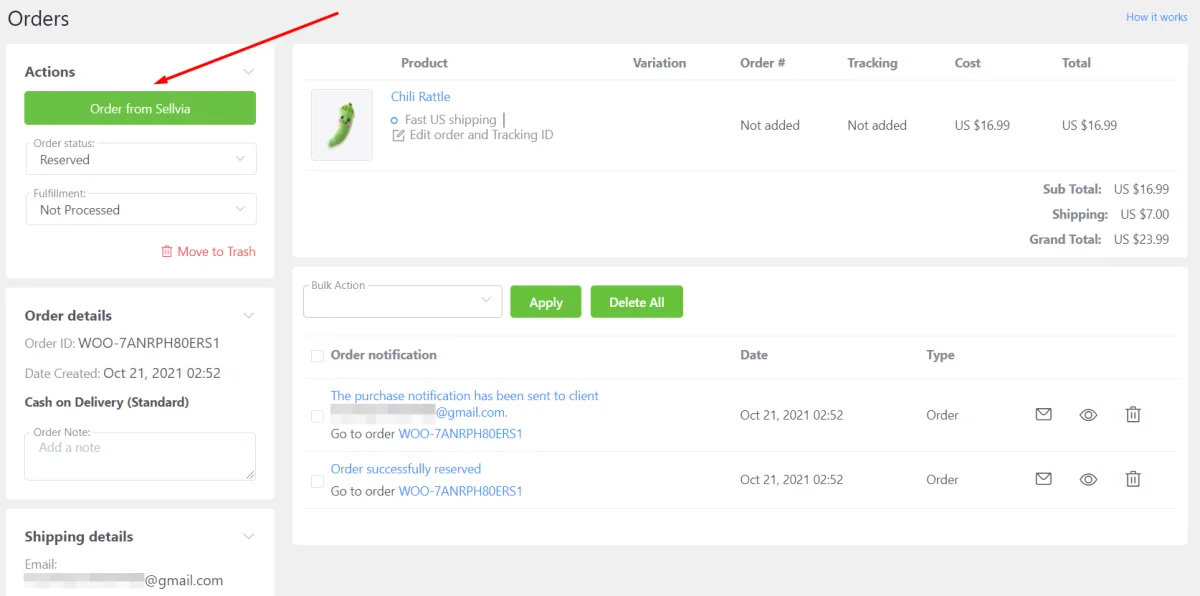
You have to process the order so Sellvia receives it and ships it to your customer. Open it and click the ‘Order from Sellvia’ button to see the product list and the order details:
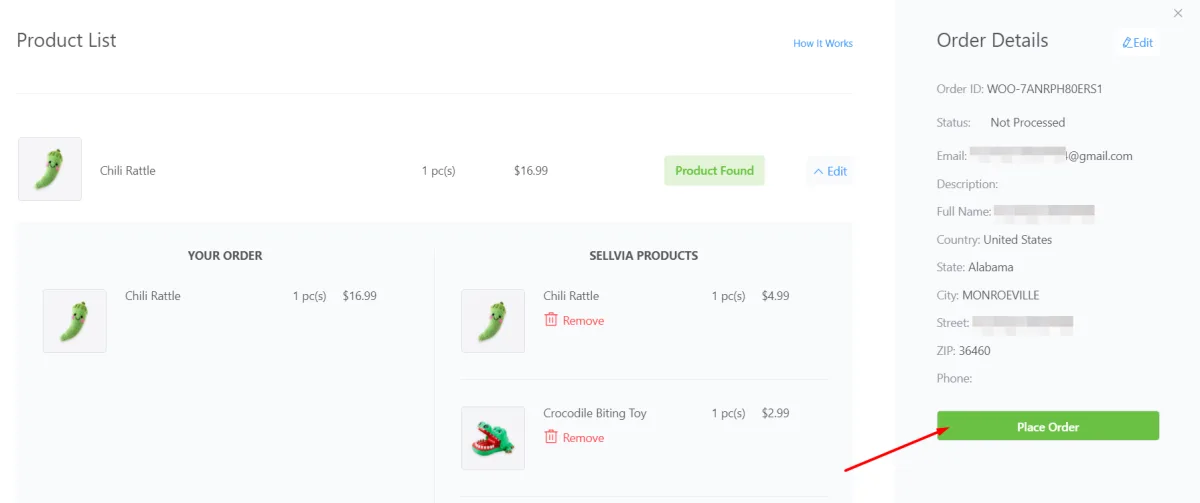
The ‘Product found’ status next to each item means they have it in their warehouse.
Check the details and place the order:
You’re then sent to your Sellvia account > Orders → Order #, where the order appears:
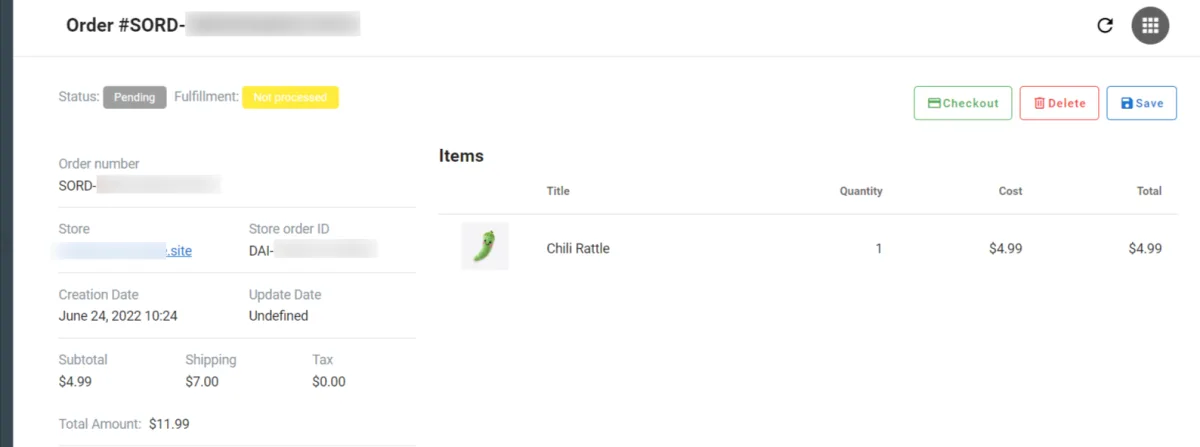
I’ve tested other dropshipping tools, and Sellvia’s interface is one of the most intuitive. It’s hard to automate the process much further, so it gets 5/5 in this category.
4. Sellvia Support
Sellvia offers technical support around the clock, and 24/7 support is still listed on every plan in 2026. You reach them through the contact button on the website.
Besides chat, email and phone, the team has written guides in the help center, so you can solve most problems on your own.
Would you rather talk to a person? You can call them:
Those were the phone number and email at the time I took the screenshot. Today the support address in their footer is support@sellvia.com.
I always check what other users say about customer service. When I first wrote this, Sellvia reviews on Trustpilot were mostly positive, and most people praised the support:
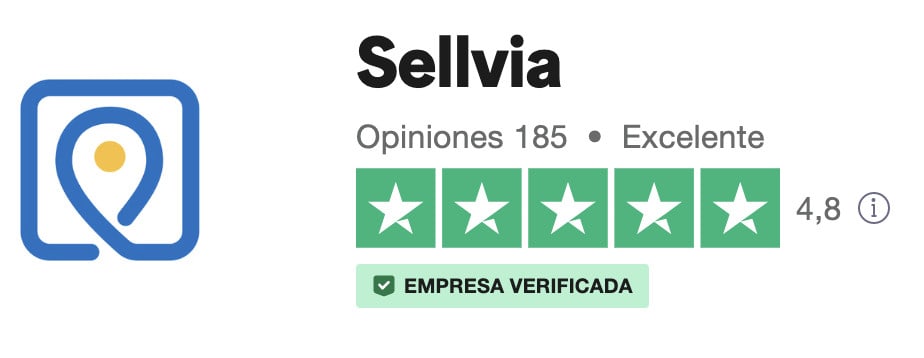
I also contacted them with a question about a new dropshipping store I was building. They replied within 24 hours and followed up to make sure it was solved, so support got 4.9 out of 5 from me.
The picture in October 2026 is less clean. Trustpilot now shows a notice saying the company’s rating is unavailable because of a breach of its guidelines, and that it removed a number of fake reviews. The profile still lists 1,584 reviews, 960 of them from the last 12 months, and the one-star ones are mostly about fees and payouts that came out lower than people expected.
That doesn’t change how their support treated me. But you should know it before you sign up.
5. Sellvia Pricing
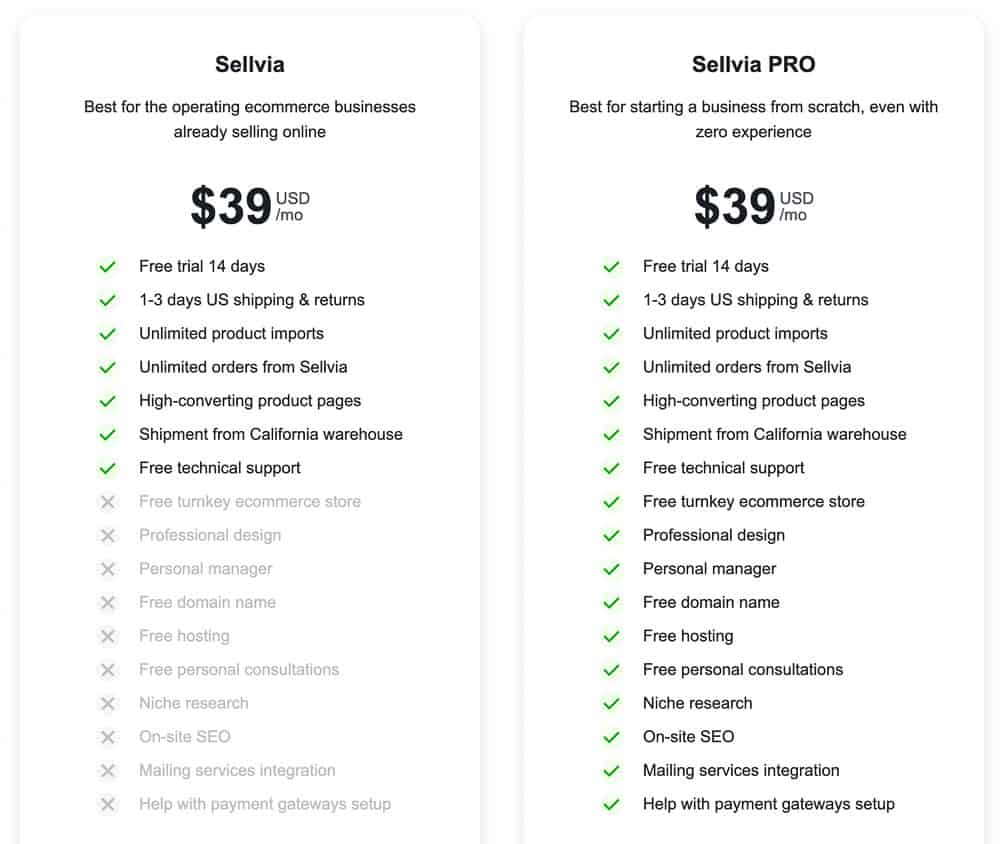
Sellvia pricing has changed since my first review. When I checked their pricing page on October 1, 2026, there were three plans instead of two, and the free trial was 14 days instead of 30:
- Basic, $39/month: up to 5,000 products and 4 GB of space, available from day one.
- Advanced, $99/month: up to 10,000 products and 10 GB, only after 3 consecutive paid months.
- Ultimate, $299/month: up to 20,000 products and 50 GB, with the same 3-month rule.
All three include the turnkey store, hosting, a free domain, SSL, a branded email address, the Sellvia catalog, reports and 24/7 support. The only differences are catalog size and storage.
The plan is only part of the bill. The same page lists the fees on orders and payouts:
- 40 to 60% of the catalog retail price for each physical product, which covers sourcing, delivery and fulfillment.
- An order service fee of 10 to 18% of the catalog retail price on every order.
- 0% to approve orders one by one, 7% in bulk, 15% automatically, and 9% if Sellvia approves a late order for you.
- A default 9% processing fee and 19% service fee where no other fee applies, plus 8% on purchases from outside the US.
- 5% to cash out commission by ACH (minimum $10), 7% by international wire (minimum $30) and 14% for express payouts.
- $4.50 for each identity verification attempt, non-refundable.
Let’s put numbers on it. Take a product with a $50 catalog retail price. The product cost charge is $20 to $30 and the order service fee another $5 to $9, so $25 to $39 is gone before approval fees, the monthly plan or a single dollar of ads. Do that math for your own products before the trial ends.
Sellvia – $39/month
This is today’s Basic plan, and it was still $39 a month when I checked in October 2026. You get the 14-day free trial, and Sellvia sends a reminder email 3 days before it ends. Cancel before that and you pay nothing. Cancel later and your free store is canceled together with the subscription.
It covers up to 5,000 products and as many Sellvia orders as you can sell. Since the store comes ready, you can point any kind of ad campaign at it from day one.
The store templates are designed to convert, which matters more than people think when you’re paying for every visitor.
If you run into trouble building the shop or launching, their support team is there to help.
Sellvia Advanced – $99/month
When I first reviewed Sellvia, the tier above Basic was Pro: $69 a month with a year of free hosting, a free domain, on-site SEO and more professional designs. That plan no longer exists.
In October 2026 the step above Basic is Advanced at $99 a month, and you can only upgrade after three consecutive paid months. Hosting and a domain now come with every plan, so the real reason to upgrade is the bigger catalog and storage.
Is the upgrade worth it? Only if you’re already selling and the 5,000-product cap is holding you back. Most new stores never get close.
My take on Sellvia pricing: $39 a month is fair for what you get, but the per-order fees decide whether you make money, and similar tools have a better price tag. That’s why I give it 3 out of 5 in this category.
Sellvia Alternatives
Still not convinced by Sellvia? These are the alternatives I’d look at:
AppScenic
AppScenic is another automated dropshipping platform that can help you grow your sales. It suits anyone who wants a fully automated setup with a decent catalog. You can read my AppScenic review here.
Zendrop
If you’re starting out with dropshipping from AliExpress, Zendrop makes the whole process much simpler.
It was built for dropshippers who were tired of the usual problems of shipping from China. Think of it as a huge wholesale market where you buy cheap products and resell them on your own site at a profit.
Spocket
Spocket is another popular dropshipping platform, and the company says more than 30,000 entrepreneurs use it. When I wrote this, its plans went from $29.9 to $99.9 a month, which is a lot for some beginners.
Spocket connects with Shopify, AliExpress, Wix and other platforms.
I also wrote a detailed comparison between Spocket vs Appscenic.
Sellvia Review – Is It Really Worth The Money?
So, is Sellvia legit? Yes. It’s a real company (Sunshine Ecommerce LLC, trading as Sellvia, in Irvine, California) with a real catalog and a real warehouse, and I’ve used it myself. Whether it’s a good deal for you is a different question.
Sellvia is especially good if your target audience is in the US, you’ve never run a store and you’d rather pay for convenience than spend weeks connecting suppliers and plugins. The store, the catalog, the fulfillment and the ad materials really do work as one system, and that saves a beginner a lot of headaches.
Who shouldn’t use it? If your customers are mostly outside the US, Sellvia is not for you: international orders carry an extra 8% fee and slower delivery. Skip it too if you want to choose your own suppliers, or if you’re starting with a tiny ad budget. Between the product cost charge, the order service fee and the approval fees, there isn’t much margin left for ads, and that’s exactly what most of the angry reviews are about.
My advice: start the free trial, open the fees page, and work out the numbers for two or three products you’d actually sell before your card gets charged. If they still work after ad costs, go for it.
FAQs
RELATED CONTENT